


Location Tracker Phone Tracker
3.9148.00 Reviews
App Specs
- Version
- 1.1.9
- Updated On
- License
- Free
- Downloads
- 10,000,000+
- Developer
- Lite Tools Games
- Categories
- Tools
- Platform
- Android
Screenshots
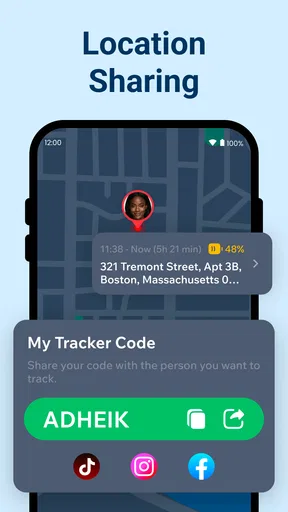
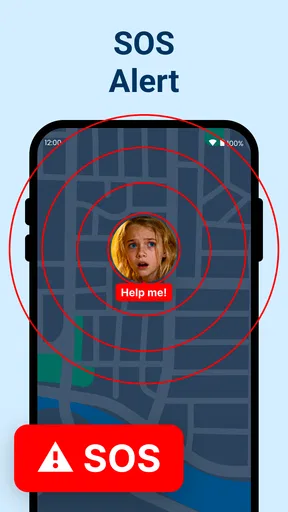
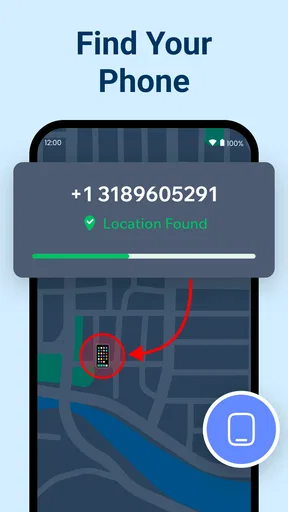
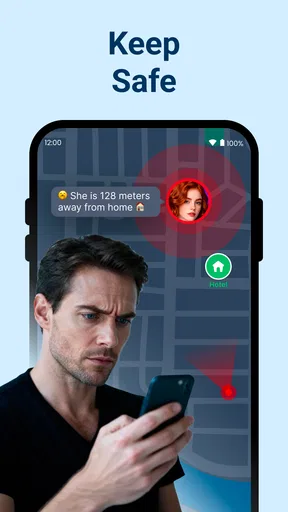
 Analysis by AppCompare
I look at a location-sharing tool less as a way to watch a dot move and more as a way to avoid unnecessary check-in messages. Location Tracker Phone Tracker is aimed at that everyday family-and-friends use: people who want to coordinate plans or check that someone has arrived, without turning every trip into a conversation. My main question with an app like this is practical rather than flashy: will it be useful when people are busy, phones are in pockets, and nobody wants to manage another complicated routine?
What to expect from its speed
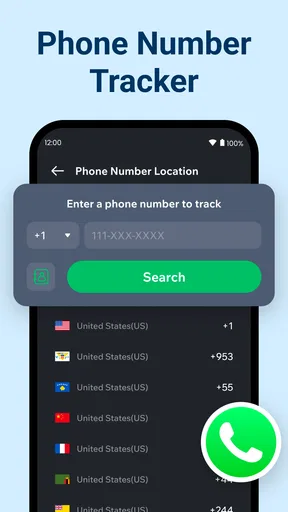
Location Tracker Phone Tracker is a free tools app from Lite Tools Games, and its short description points to location tracking as its central job. The experience depends on more than the app itself: a phone needs to be able to determine its location, and the person whose location you want to see must be participating in the sharing arrangement. I would treat “real time” as a useful intention, not a promise that a map marker will update at the exact instant someone moves. Indoor reception, a weak connection, or a phone left idle can all affect what you see.
That distinction matters when you are choosing between this and simply sending a message. For a planned pickup, a shared map can reduce the back-and-forth of “where are you?” For a time-sensitive emergency, I would not make any location-sharing app the only plan. A phone call or local emergency service is the more appropriate choice when someone needs immediate help.
Busy-day use without turning it into surveillance
The most sensible way I can see using a family locator is for a shared purpose everyone understands. Imagine a parent meeting a child after an activity, or relatives trying to find one another at a crowded public venue. Agreeing ahead of time about when location sharing is useful keeps the app from becoming an excuse to check someone’s movements all day. A quick conversation about who can see whom, and when, is more valuable than any map screen.
For a household, I would start small: add only the people who genuinely need to coordinate, then try the routine during a normal outing. This gives everyone a chance to learn what the location view can and cannot tell them before relying on it for a tight schedule. It also helps avoid a common mistake with tracking tools: adding a whole group before agreeing on expectations, then discovering that some members did not want continuous sharing.
The app’s family focus makes it a more natural fit for mutual coordination than for checking on acquaintances who have not agreed to share. If you only need to tell a friend when you will arrive, a standard messaging app may be less intrusive and easier. A dedicated tracker is most worthwhile when the same trusted group has a recurring reason to coordinate.
How it fits among location-sharing options
Compared with manually texting updates, a locator can save effort when several people are travelling separately or meeting at a changing location. Compared with built-in location-sharing options already available on many phones, this app is another choice to consider, not an automatic replacement. The better option is the one your group can set up together, understands, and will actually keep using. If everyone already shares locations through a familiar service, switching adds little unless this app solves a specific coordination problem for your group.
Worth Reading Before You Choose

EA SPORTS FC Mobile 26 Is a Bigger Football Game, but It Takes Time

Flipboard Shows What News Apps Must Do Beyond the Feed

Switching to Android Auto Means Rethinking Your Driving Routine

Google Calendar Makes a Crowded Week Easier to Manage

Ludo King Makes the Most of the Minutes Between Plans

Baby Panda World Brings Quick Play to Modern Phones, but Its Game Library Feels Busy
Before making it part of a routine, I would check that the people you want to connect with are willing and able to use the same arrangement. A tracker cannot make a group useful if only one person has set it up. I would also test it while you are together, rather than waiting until someone is late, so you can see how the map behaves on your own devices and network conditions.
Who should choose another approach
This is not the right kind of tool for someone who wants a private, one-off way to share a meeting point, or who is uncomfortable with location sharing in general. In those cases, sending an address, dropping a pin in a conversation, or calling is simpler and gives the other person more control over the moment. It is also a poor fit for monitoring another adult without clear consent. A family label does not remove the need for honest agreement.
There is a practical trade-off, too: shared location is useful only when the people involved keep their phones available and the app can obtain a current position. If a person’s phone is off, disconnected, or unable to update, a map can become stale. I would never read a stationary marker as proof that someone is ignoring a message or has not moved; it may simply be an old position.
Questions to settle before relying on it
People often ask whether a locator works without cooperation from the person being located. For a respectful family setup, the answer should be no: make the arrangement with the other person, rather than treating the app as a way around their choice. It is also worth deciding in advance whether sharing is intended for a particular outing or for an ongoing household routine, because those are different expectations.
Another reasonable question is whether it replaces messaging. I would not assume so. Its core purpose is location, while a conversation is still the clearer way to explain a delay, ask for help, or confirm a change of plan. If your group needs richer coordination, keep using the communication tools you already trust and use a map only where it genuinely saves effort.
Cost is another point to consider: the app is free to install, with optional in-app purchases ranging from $2.99 to $29.99 per item. I would try the basic experience with a real, low-pressure use case before paying for anything, and make sure everyone understands what they are agreeing to share. It is rated for Everyone, but that rating does not replace a family conversation about privacy and boundaries.
Everyday setup and what the experience feels like
If you're like me, always wondering where your friends or family are without constantly bugging them with texts, Location Tracker Phone Tracker is the app you didn't know you needed. I decided to give this app a whirl, and let me tell you, it’s a game-changer for anyone wanting to stay connected without being intrusive.
Easy Setup and User-Friendly Interface
First off, setting up Location Tracker Phone Tracker was a breeze. I just downloaded it from the app store, and within minutes, I was all set. The app guides you through the setup with a nifty tutorial that even my tech-challenged uncle could follow. The interface is clean and intuitive, making navigation a walk in the park. You can track multiple devices at once, which is perfect for the modern-day Sherlock Holmes in you.
Real-Time Tracking
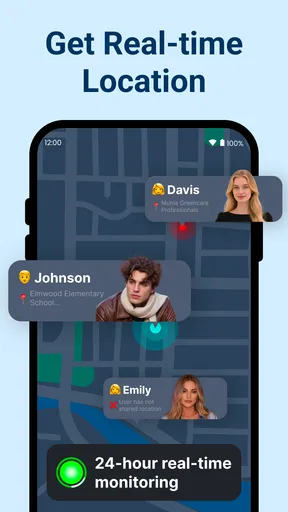
Now, let's talk about the real-time tracking feature. This is where the app truly shines. I could see my friends’ and family members’ locations on a detailed map. The accuracy is impressive, and I was surprised to find how precise it was, down to the streets and landmarks. It even updates in real-time, so there’s no annoying lag or delay.
Privacy and Security
Privacy is a big deal these days, and I know what you’re thinking: Is my data safe? Thankfully, the app has several layers of security. You have complete control over who can see your location. Plus, everything is encrypted, so you can rest easy knowing your data isn't going to some shady data farm.
Battery Efficiency
One of my initial concerns was battery drain. However, after using it for a week, I noticed that the app is surprisingly light on battery usage. It’s optimized to run in the background without sucking the life out of your phone, which is a massive plus in my book.
Additional Features
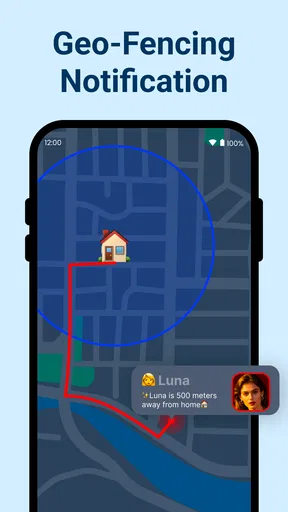
Besides tracking, the app offers some neat extras. There's a geofencing feature where you can set up zones and get notified when someone enters or leaves a designated area. This is super handy for keeping tabs on the kids. Plus, the app has a built-in messaging tool, so you can chat with your contacts without switching apps. Neat, right?
In conclusion, Location Tracker Phone Tracker is more than just a simple tracking app. It’s a tool that blends connectivity with security, making it perfect for families and friends who want to stay in touch while respecting each other’s privacy. So, if you’re looking for a reliable and efficient way to keep tabs on your loved ones, this app is definitely worth checking out. Happy tracking!
Stability, battery expectations, and recovery
My practical performance verdict is cautious: a location tool can feel quick when a phone has a clear signal and a stable connection, but the map should not be treated like a live instrument with guaranteed second-by-second precision. I would judge reliability by whether it gives the group a helpful general update during ordinary travel, not by whether every movement appears instantly. If the display seems behind, first check the phone’s connection and location availability, then refresh your expectations rather than assuming the person has stopped.
For heavy-use moments, such as several family members travelling at once, the main strain is likely to be coordination and phone availability rather than a complicated workflow. Keeping the group small and deciding who actually needs access makes the map easier to interpret. I would also avoid leaving location-heavy routines running as a substitute for communication when the battery is already low or someone is relying on their phone for navigation and calls.
Battery life is device-dependent, so my experience should not be read as a guarantee for every handset or setup. If you are testing the app for a long outing, begin with a charged phone and check how your own device behaves during normal use. If the phone runs down or the app stops updating, the sensible recovery is to contact the person directly and resume relying on the map only after the device is available again.
Version, compatibility, and the final call
The app’s current version is 1.1.9, and it supports Android 6.0 and newer. It has been available since July 29, 2025, and its average rating is 3.9 from around 9.1 thousand ratings, alongside 148 written reviews. More than 10 million installs show that many people have tried it, but those figures cannot tell me whether it will suit a particular family’s privacy preferences or phones. I would check compatibility on each person’s device before making it central to a shared routine.
Pros
- Accurate real-time location tracking.
- Easy-to-use interface for all users.
- Low battery consumption on devices.
- Supports multiple devices simultaneously.
- Customizable alerts and notifications.
Cons
- Requires constant internet connection.
- Limited features in free version.
- Privacy concerns for shared data.
- Occasional delays in location updates.
- High data usage for frequent updates.
FAQs for Location Tracker Phone Tracker
How does Location Tracker ensure my privacy?
Location Tracker prioritizes user privacy by implementing end-to-end encryption and allowing users to control who can access their location data. The app requires explicit permission to share your location and provides options to manage data sharing settings, so you can feel confident that your information is secure.
Is Location Tracker compatible with both Android and iOS devices?
Yes, Location Tracker is designed to work seamlessly on both Android and iOS devices. It supports a wide range of smartphones and tablets, ensuring that users can track and share locations across different operating systems without any compatibility issues.
Can I track multiple devices simultaneously with Location Tracker?
With Location Tracker, you can monitor multiple devices at once. The app provides a user-friendly interface to switch between different devices, making it ideal for families or groups who want to stay connected and ensure everyone’s safety in real-time.
Does Location Tracker consume a lot of battery life?
Location Tracker is optimized to minimize battery usage by efficiently managing GPS and network resources. While running in the background, the app balances location accuracy with battery consumption, ensuring that your device remains functional for longer periods without frequent charging.
What features does Location Tracker offer for emergency situations?
Location Tracker includes features specifically for emergencies, such as an SOS button that sends your precise location to pre-selected contacts. Additionally, it allows for real-time location sharing, ensuring that help can reach you promptly if needed. This enhances safety and peace of mind for users.


